Clear diagnostics
Check hardware, security, stability, startup, updates and disk space. Plain explanations help you decide.
Enkey PCDiag
Version 3.0.0 · Windows 10 and Windows 11 · 64-bit (x64)
Is your PC slow, freezing or showing blue screens? Enkey PCDiag brings Windows diagnostics, hardware tests and guided repairs into one free tool. Clear findings, changes you approve and reports you can share.
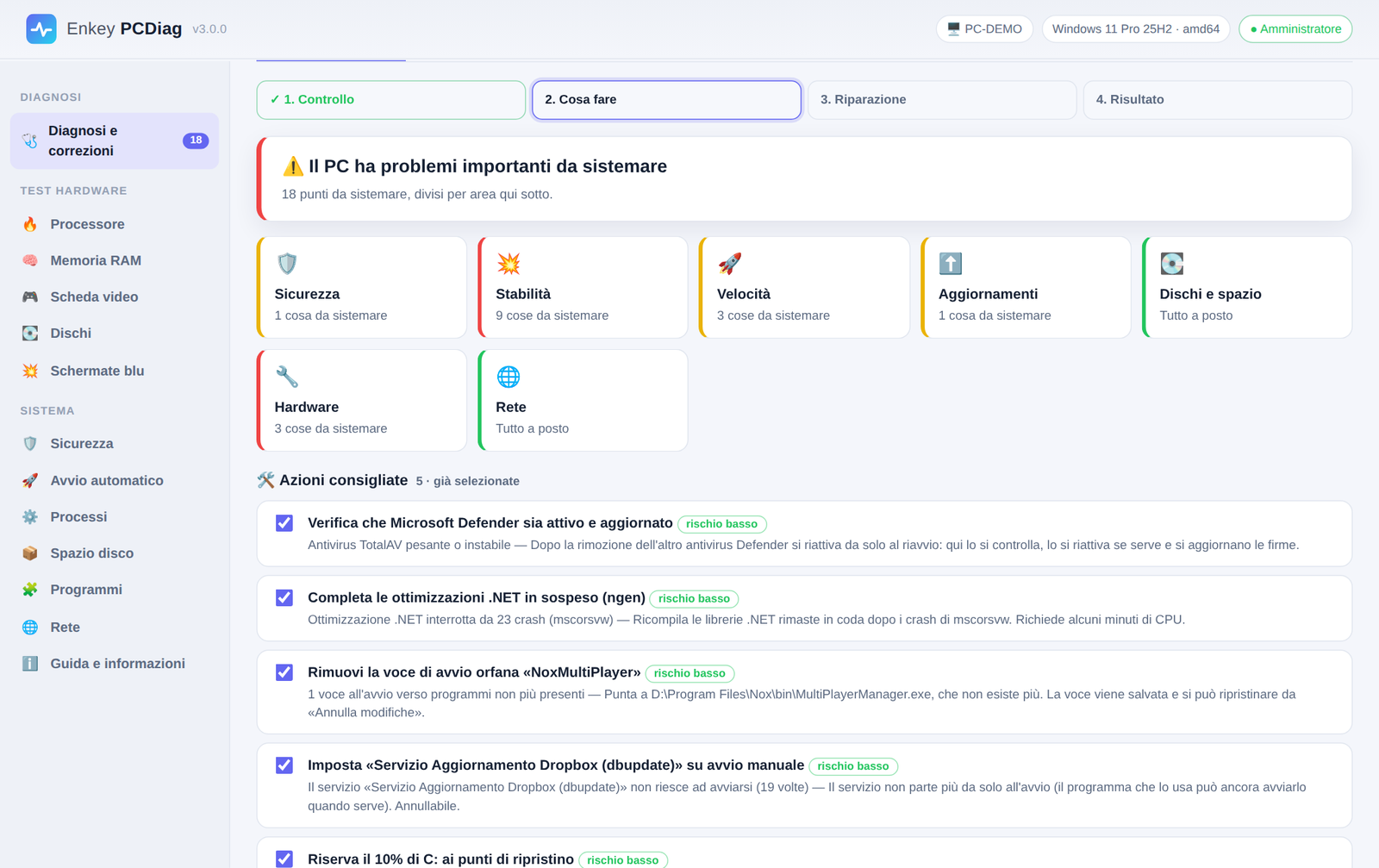
A guided way to understand your PC and decide what to do.
Run diagnostics and view issues by category and severity.
Read the explanations and approve the repairs you choose.
Check the outcome and create a technical or customer report.
Everyday maintenance and fault investigation, together in one tool.
Check hardware, security, stability, startup, updates and disk space. Plain explanations help you decide.
Changes require your confirmation. Restore points, verification and resuming after a reboot when supported.
CPU, RAM, GPU and disk tests, blue screen analysis and reports to share with a technician.
Find startup slowdowns and available updates. Operations through winget and Windows Update require your approval.
Review crash clues and the PC timeline, including updates, errors and replaced components.
Create a clear summary of the PC, completed work and notes to print or save as PDF.
Inside PCDiag
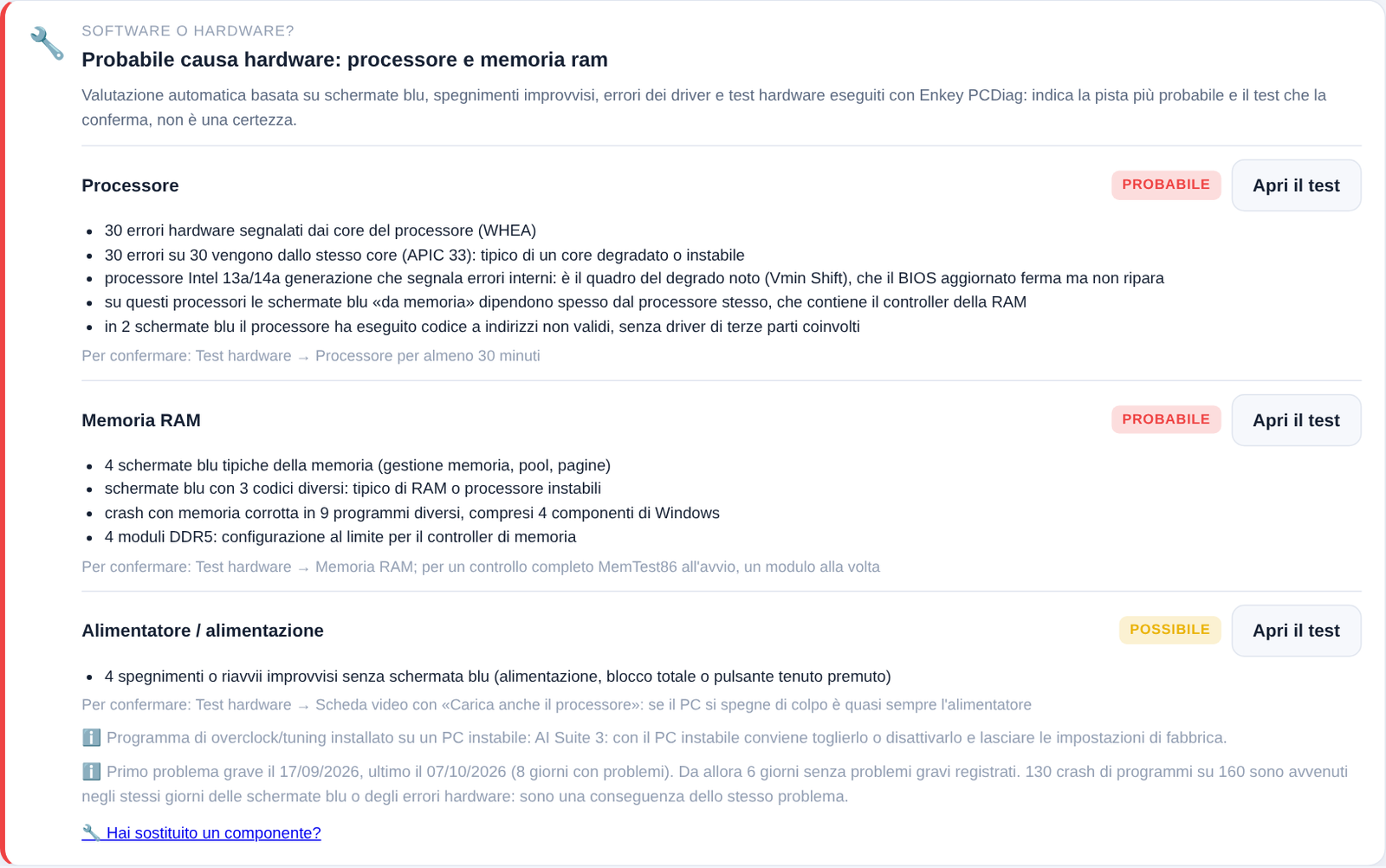
PCDiag relates errors, blue screens and tests to suggest a likely cause and a useful next check. Confirm the assessment with the recommended tests.
PCDiag activation requires a name or organisation, verified email, phone with country code, town and country.
Activation sends your name or organisation, email, phone, location and country to Enkey. Usage statistics are optional, off by default, identifiable and revocable.
A connected PC prepares the licence for the offline recipient. The offline PC imports and verifies the file; diagnostic data are not transferred.
Yes. Version 3.0.0 is free with registration. Verify your email and enter the key sent to you. It is not a subscription.
No. Extract the ZIP and open EnkeyPCDiag.exe. The interface uses Edge or Chrome without extensions or extra runtimes.
Diagnostics read the PC status. Repairs need your approval; some operations cannot be undone. Back up important data first.
No. Findings can include false positives. Hardware faults need technical verification.
Download the official version, extract the ZIP and start the program. Complete free registration in the app.
Version 3.0.0 · 4.21 MB · Windows 10 and Windows 11 · 64-bit (x64)
Free with registration · No installation needed
Legal texts in Italian
01dae94e4b0d74ec97470406bf2cc907cdf18795d2032e7e9ec5f5008863dd58SHA256SUMS.txt